
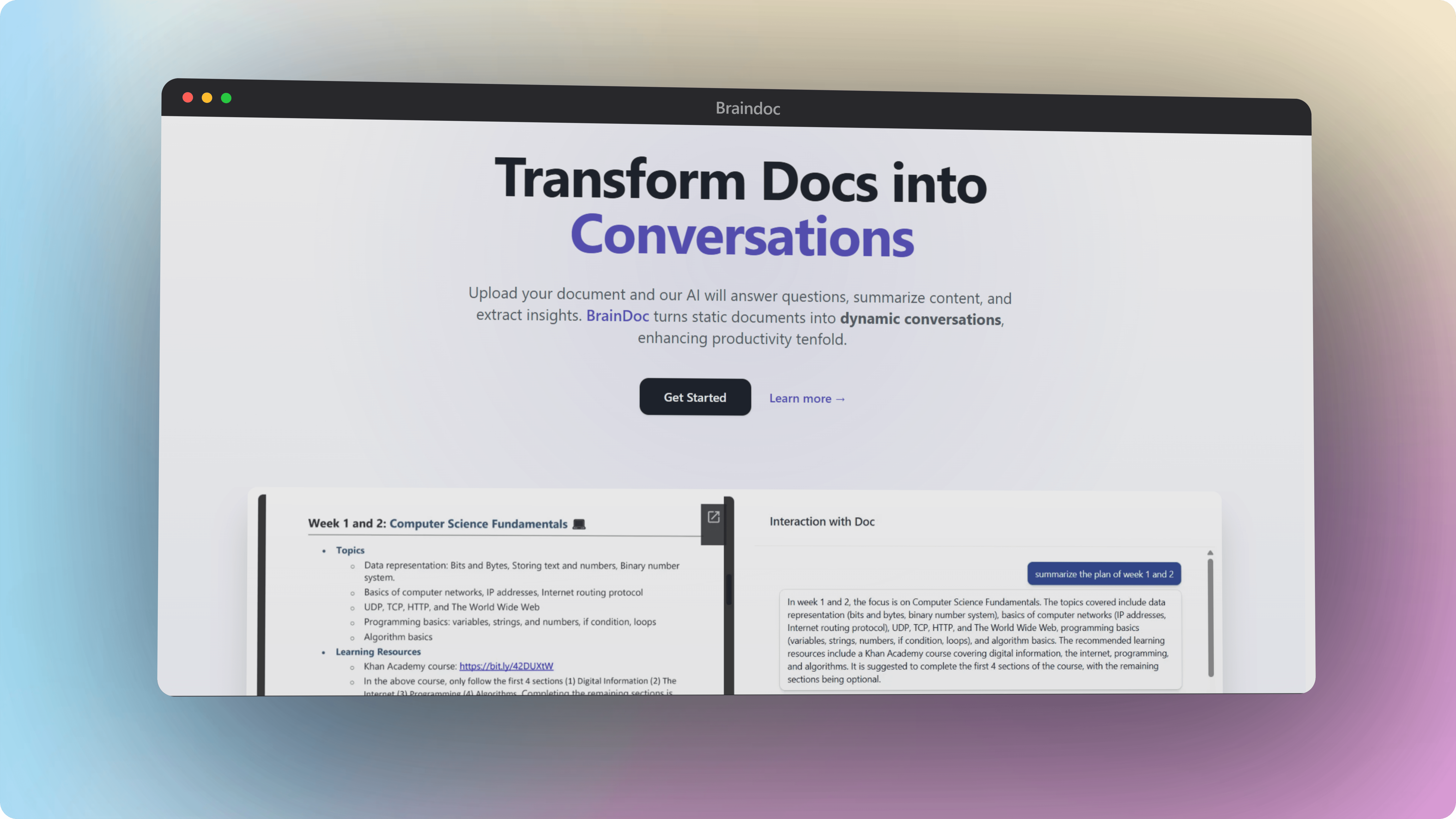
BrainDock
An AI-powered document intelligence platform that lets users chat with PDFs, extract insights, and interact with documents using natural language.
Timeline
2 months
Role
Full Stack Developer
Team
Solo
Status
CompletedTechnology Stack
Key Challenges
- Chunking large PDF documents efficiently
- Maintaining context-aware AI responses
- Embedding and retrieval accuracy
- Performance with large documents
- Designing a clean chat-based UX
Key Learnings
- Retrieval-Augmented Generation (RAG)
- Vector databases and embeddings
- Prompt engineering for document QA
- AI-driven UX patterns
- Building practical AI-powered products
BrainDock: AI-Powered Document Intelligence
Overview
BrainDock is an AI-powered document interaction platform that allows users to upload PDFs and chat with them using natural language. Instead of manually searching or skimming through long documents, users can ask questions and instantly get accurate, context-aware answers.
The platform is designed for students, developers, and professionals who regularly work with large documents like research papers, reports, or technical documentation.
What Users Can Do
- Upload PDFs: Add documents for AI-powered processing.
- Chat with Documents: Ask questions and get contextual answers.
- Semantic Search: Retrieve relevant sections instead of keyword matches.
- Summarize Content: Quickly understand long documents.
- Multi-Document Context: Ask questions across multiple uploaded files.
- Clean Chat UI: Distraction-free conversational interface.
Why I Built This
I noticed that reading and understanding large PDFs is often slow, inefficient, and mentally exhausting.
BrainDock was built to solve problems like:
- Finding relevant information buried deep inside documents
- Switching between pages just to connect ideas
- Losing context while reading long technical files
This project helped me explore how AI can meaningfully augment human productivity, rather than just generating text.
Tech Stack
- Next.js – Full-stack framework
- TypeScript – End-to-end type safety
- React – Interactive UI
- Tailwind CSS + Shadcn UI – Clean, accessible design
- OpenAI API – Natural language understanding
- Vector Embeddings – Semantic document search
- PineconeDB – Vector database
- PostgreSQL – Chat storage
- Drizzle ORM – Database access layer
- AWS S3 – Document storage
- Vercel – Deployment and hosting
Key Technical Highlights
- Retrieval-Augmented Generation (RAG) pipeline
- Intelligent document chunking strategy
- Embedding-based semantic search
- Context-aware AI responses
- Type-safe frontend ↔ backend communication
- Optimized queries for fast document retrieval
After Launch & Impact
- Built a fully functional AI document assistant
- Gained hands-on experience with real-world AI integrations
- Improved understanding of vector search and embeddings
- Designed UX patterns specifically for AI chat interfaces
- Strengthened my ability to build AI-powered SaaS features
Future Plans
- Add support for more file formats (DOCX, PPT)
- Add document tagging and folders
- Enable team-based document collaboration
- Optimize embeddings for cost and performance